What are cookies? Why do they exist? Why on earth would I ever NOT want to accept delicious cookies? What is statelessness? All that and more in this treatise on cookies and privacy.
Requests
The original humble website (info.cern.ch) looked very different from the sites that currently power banking, commerce and even interactions with government. Fundamentally a web server is a program that lets you create, request, update, or delete resources. It tells you some information about the content, what type it is, how big it is, when it was last modified, if you are supposed to cache it or not, among other things. These metadata are returned as headers, i.e. bits of content before the main content, so to speak.
To over-simplify the process, the client, e.g. the browser, simply breaks down the address in the address bar into the scheme – usually http or https, the host name – info.cern.ch, and the path – /. If the scheme is http and not port number was explicitly given, the browser will contact info.cern.ch on port 80, and then send the command GET /. The browser will send information in headers, such as User-Agent, i.e. it tells the web server which browser it is, and it can tell you referrer as well, i.e. which website linked to this one. These headers are sent by the browser, but they are not mandatory, and any low level http client can set their own referrer and user-agent headers, so it is important to realise that these headers are not guaranteed to be correct. The server too will offer up information in headers. Sometimes the server will – as headers in addition to the content it serves you – announce what type of web server it is (software and platform) which is something you should ideally disable, because that information is only helpful for targeting malware, with no real valid use case.
Why this technical mumbo jumbo? Well, the thing you didn’t see in the above avalanche of tech stuff was the browser authenticating the user to the server in any way. The browser rocked up, asked for something and received it, at no point was a session created, or credentials exchanged. Now, info.cern.ch is a very simple page, but it does have a favicon, i.e. the little picture that adorns the top left of the browser tab, so when the page is requested, it actually makes two calls to the Swiss web server. One for the HTML content, and one for the picture. Now with modern HTTP protocol versions this is changing somewhat, but let’s ignore that for now, the point is – the server does not keep session state, it does not know if you are the same browser refreshing the page, or if you are someone completely new that requests the page and the favicon.
There was no mechanism to “log in”, to start a session, there was no way to know if it was the same user coming back that you already knew because no such facility existed within the protocol. From fairly early on you could have the server return status code 401 to say “you need to log in”, and there was a provision for the browser to then supply some credentials using a header called Authorize, but you had to supply that header for every request or else it wouldn’t work. This is how APIs work still, each request is a new world, you authenticate with every call.
The solution, the way to log into a website, to exchange credentials once and then create a session that knows who you are whilst you are on a website, was using cookies.
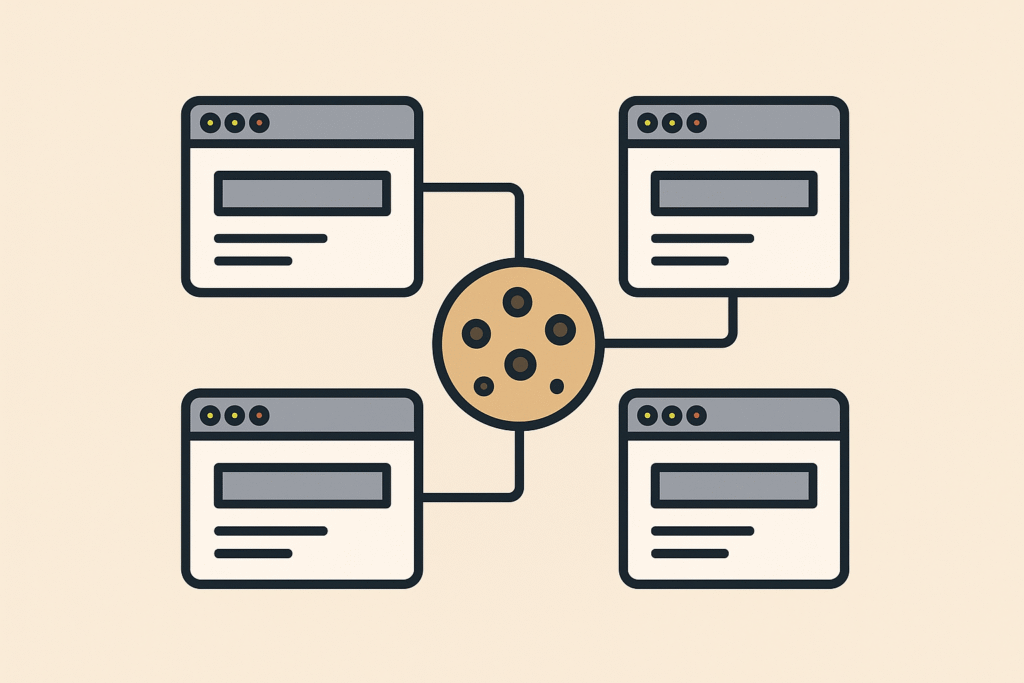
Taking the biscuit
What is a cookie? Well, it is a small file. It is stored by the browser somewhere in the user’s local files.
The server returns a header called Set-Cookie where the server tells the browser to remember some data, basically name & value and possibly a domain.
Once that has happened. there is a gentleman’s agreement that that browser will always send along those cookies when a subsequent call is made to that same server, and the normal flow is that the server will set a cookie like “cool-session-id= a234f32d” and the server will then upon subsequent requests read the cookie cool-session-id and know which session this request belongs to “a234f32d, ah long time no see – carry on”. Some cookies live for a very long time “don’t ask again”, and some, the session ones, live for 5 minutes or similar. When the cookies expire, the browser will no longer send them along with requests to the server, and you willl have to log in again, or similar.
How the cookie crumbles
What could possibly go wrong, these cookies seem perfect with no downsides whatsoever? Yes, and no. A HTML page, a hypertext document, contains text, images, and links. Usually you build up a web page using text content and images that you host on your own machine, so the browser keeps talking to the same server to get all the necessary content, but sometimes you use content from somewhere else, like under-construction.gif that was popular back in my day. That means that the server where under-construction.gif is hosted can set cookies as well, because the call to its server to download that picture is the same type of thing that the call to my server where the HTML lives, those calls work the same way. If the person hosting under-construction.gif wanted to, they could use those cookies to figure out which pages each person visits. If it was 1995. then under-construction.gif could be referenced from 1000 websites, and by setting cookies, the host of under-construction.gif could start keeping a list of the times when the same cookie showed up on requests for under-construction.gif from different websites. The combination of Referrer header and the cookie set in each browser would allow interesting statistics to be kept.
Let’s say this isn’t under-construction.gif, but rather a Paypal Donate button, a Ko-Fi button, a Facebook button or a Google script manager, and you start seeing the problem. These third party cookies are sometimes called tracking cookies, because, well – that’s what they do.
Why the sweet tooth?
Why do people allow content on their website that they know will track their users? Well, for the plebs, like this blog here, I suspect the main thing is the site creator cannot be bothered to clear house. You use some pre-built tool, like WordPress, and accept that it will drop cookies like a medieval fairytale, you can’t be arsed to wade in PHP on your spare time to stop the site from doing so. Then there’s the naive greed, like if I add a Paypal Donate button, or an Amazon affiliate link, I could make enough money to buy several 4 packs of coke zero, infinite money glitch !!1one.
For companies and commercial websites, I am fairly convinced that Google Analytics is the biggest culprit. Even if you have zero interest in monetising the website itself, and you never intend to place ads at any time, Google Analytics is a popular tool to track how users use your application. You can tag up buttons with identifiers and see what features either are not discovered or are too complex, i.e. users abandon multi-step processes half way through. From a product design perspective these seem like useful signals, but form a pure engineering perspective it allows you to build realistic monitoring and performance tests because you have reasonably accurate evidence of how real world users use your website. The noble goal of making the world a better place aside, the fact is that you are still using that third party cookie from Google, and they use it for whatever purposes they have, the only thing is you get to use some of that data too.
Achieving the same level of insight about how your users use your app by using an analytics tool you built in-house would take a herculean effort, and for most companies, that cost would not be defensible. You see a similar problem happen after Sales develops a load-bearing excel template, and you realise that building a line-of-business web app to replace that template would be astronomically expensive and still miss out on some features Excel has built-in.
Consent is fundamental
As you can tell the technical difference between a marketing cookie and a cookie used for improving the app or monitoring quality is nonexistent. It is all about intent. The General Data Protection Regulation was an attempt at safeguarding people’s data by requiring companies to be upfront about the intent and scope of the information it keeps, and to keep them accountable in case they suffer data breaches. One of the most visible aspects of the regulation is the cookie consent popup that quckly became ubiquitous over the whole of the internet.
Now, this quickly became an industry of its own where companies buy third party javascript apps that allow you to switch off optional cookies and present comprehensive descriptions about what the purpose is around each cookie. I personally think it is a bit of a racket preying on the internal fear of the Compliance department in large corporations, but still – these apps do provide a service. The only problem is that you as a site maintainer gets to define if a cookie is mandatory or not. You can designate a tracking cookie as required, and it will basically be up to the courts to decide if you are in violation. Some sites like spammy news aggregators do this upfront, they designate their tracking cookies as mandatory.
Conclusion
So, are cookies always harmful, or can you indulge in the odd one now and then without feeling bad? The simple answer is, it depends. Every time you approve of a third party cookie, know that you are traced across websites. You may not mind, because it’s your favourite oligopoly Apple, or you might mind because it’s ads.doubleclick.net – it is up to you. And if you are building a website with a limited budget that does not include also building a bespoke analytics platform, you may hold your nose and add google analytics, knowing full well that a lot of people will block that cookie anyway, reducing your feedback in potentially statistically significant ways. Fundamentally it is about choice. At least this way you can stay informed.