Us old folks reminisce about the olden days when you would hit a button and the corresponding character would appear on the screen immediately. A lot of old custom built ERP or POS software would be impenetrable for a new user with incredibly cluttered text based user interface BUT there would be no latency. You cannot get that snappiness anymore, despite modern computers being several orders of magnitude faster.
Hardware
Back in the day, the keyboard was attached to a dedicated DIN port, most definitely not plug and play. The processor would be yanked out of whatever it was doing to tend to keyboard input whenever signals came in on the serial port. Today there is a Universal Serial Bus that contains a lot more distributed decision making and plug & play. Devices announce their presence, and there is a whole ceremony to ensure that the correct drivers are in place, the processor gets to deal with incoming traffic when it chooses to. Great for the overall smoothness of the experience using the computer, but for keyboards you usually get latency. Gaming mouse and keyboard manufacturers work to reduce this, but fundamentally USB means latency.
Operating systems
Back in the day, the software would run on a DOS machine, an OS so lightweight it barely qualified as an operating system, you mostly talk directly to the hardware as an application developer. These days, your process is waiting to be told by the OS when a user has typed text in your app. The process not only sounds complicated, it IS complex. The operating system will first have to make sure the correct thread is currently running, and then deliver the keystroke.
Applications
In the before times, the application would receive the keystroke, confer with its internal state (am I in a menu or am I in a text editor? Was this a special key, like a function key or similar?) and then immediately render the character on the screen if appropriate.
Today, all kinds of things can happen. Are you editing a word document on Sharepoint – or using Google Docs? In that case your keystrokes go to the cloud first. Bonus points, no save button, but also – massive legacy on an order of magnitude greater than that USB malarkey. Also – either app, sometimes even text boxes in the OS – will spell check words if you press the space bar or stop typing for a bit.
As developers we are aware of intellisense, I.e. predictive text for developers. Yet another order of magnitude of latency, because the developer tool has to sort of recompile large parts of the app underneath your fingers. Even though the app tries to be clever about doing as little work as possible, you can imagine how insanely much more work that is, compared to writing a character to a screen in text mode.
A possibly redeeming factor is that while personal computers in the olden days had a single thread of execution, literally doing one thing at the time, in the modern world these distractions can happen literally simultaneously to your typing, so the latency is not quite as bad as it could have been.
What to do?
I suggest you go ask the people most keenly interested in low latency, I.e. gaming. There will be tests online you can peruse before picking a keyboard. Your operating system may offer you tweaks to prioritise UI responsiveness in its scheduling, and you can switch off interactive features. You can run Linux in text mode with tmux. Or, you can just accept that the days of snappy UIs are over and let the computer go off and do its thing like an otherwise faithful dog that only listens to a subset of commands.
I hail from the depths of the northern wastelands of Sweden, one of the other Laplands where Santa does not live. Despite living abroad for more than a decade, I attempt to keep tabs on the motherland, of course, since I vote and am of the age when – in the olden days – I would be writing unhinged letters to the editor in the local newspaper, which today means ranting on Facebook to innocent bystanders that probably have me muted.
Without getting into specifics of what has changed since I left, one of the weirdnesses about Sweden is that almost all your data is public. Imagine the phonebook, but with your income, the deed to your flat, including every extension ever made, everything available to search without restriction by anyone that is interested.
Traditionally this was used when the tabloids had problems creating content because there were no daily bombings to write about, they would write “the 10 richest people in YOUR BOROUGH, this is how they live”, and this information was just a couple of phone calls away, no whistleblower needed. FOIA on steroids.
Again, without getting into what has changed – the fact has become that a larger number of people are seeking exemptions from this public status, i.e. a protected identity (skyddad identitet) which means that all of your information has to be kept secret, you get a fake address maintained by the tax authority where all your physical official mail is proxied. This concept of protected identity was created to protect battered women from being easily located by their violent ex, but today 50% of the people using the service are social services employees, police officers and others that have active threats to their lives due to their work. I’m not saying it was ok that the system was poorly designed before, but the number of impacted people has risen sharply, so what used to be a once in a million thing for people to encounter, thus explaining some of the friction, it has become a much broader phenomenon.
In a UK context, you know that slip you get from the council where they need to confirm you are correctly registered on the electoral roll, imagine that checkbox to make your data available for advertisers, but that always being checked.
Unfortunately, in the UK, not checking that box has consequences, many automated systems do not believe you exist and you need alternative forms of identity verification – you carry your council tax and gas bill everywhere – whilst if you are in the public register a lot of things work relatively seamlessly, except in Sweden – the proportion of people not generally available in the tax authority’s ledger of all residents is still so small that nobody considers it at any point, meaning the fact that somebody in the family has a protected identity has broad consequences in everyday life, such as that it is impossible to pick up a prescription for your children at the pharmacy because the system does not accept that you are related to your children, and problems collecting parcels because of the way identities are validated to just name a couple. That proxy address the government gives you only works for mail, not for parcels, which I guess makes sense, cause if the tax authority had to get into logistics as well, that might be a step too far, even for Sweden, even if they couldn’t possibly do a worse job than PostNord, but I digress.
I have written about problems like these before, where nobody involved in designing systems intended for use by the general public considers use cases beyond their own nose – because it is very difficult to accurately do so, but in this case I wonder if a radical redesign would be better, with privacy by default and clear consent to share one’s information, you know like GDPR. We all had to do it in every other IT system, why should the public sector be exempt?
In Sweden they have had catastrophic failures of public procurement where a new system for the state rail and road authority was unable to correctly protect state secrets, and similar problems for the public health insurance authority that could not deal with the concept of information classification – a whole class of problems could be solved with a radical redesign. This is one of the things where I think breaking everything is worth it, because retrofitting privacy is nearly impossible, and any attempts at backwards compatibility is like trying to turn DOS into a multi-user operating system – there will be gaps everywhere since the foundational design is inherently counter to what you are trying to achieve.
I keep going on about why software development should consist of empowered cross-functional teams, and a lot of actual experts have written very well – at length – about this, and within manufacturing the Japanese showed why it matters in the 1980s, and the American automotive industry drew the wrong lessons from it, but that is a separate issue. For some light reading on these topics I recommend People Before Tech by Duena Blomstrom and also Eli Goldratt’s The Goal.
Incorrect conclusions from the Toyota Production System
The emergence of Six Sigma was a perfect example of drawing the completely wrong conclusion from the TPS1. In manufacturing, as well as in other processes where you do the exact same thing multiple times you do need to do a few sensible things, like examine your value chain and eliminate waste, so figuring out exactly how to fit a dashboard 20 seconds faster in a car, or provide automated power tools that let the fitter apply the exactly correct torque without any manual settings creates massive value, and communicating and re-evaluating these procedures to gradually optimise further has a direct tie in with value creation.
But transferring that way of working to an office full of software developers where you hopefully solve different problems every single day (or you would use the software you have already written, or license existing software rather than waste resources building something that already exists) is purely negative, causing unnecessary bureaucracy that actually prevents value creation.
Also -the exact processes that have been developed at Toyota or even at its highly successful joint venture with General Motors – NUMMI – were never the success factor. The success factor was the introspection, the empowerment to adapt and inspect processes at the leaf nodes of the organisation. The attempts by GM to bring the exact processes back to Detroit failed miserably. The clue is in the meta process, the mission and purpose as discussed by Richard Pascale’s in The Art of Japanese Management and in Tom Peter’s In Search of Excellence.
The value chain
The books I mentioned in the beginning explain how to look at work as it flows through an organisation as a chain where pieces of work are handed off between different parts of the organisation as different specialists do their part. Obviously there needs to be authorisation and executive oversight to make sure nothing that runs contrary to the ethos of the company gets done in its name, there are multiple regulatory and legal concerns that a company wants to safeguard, and I want to make it clear that I am not proposing we remove those safeguards, but the total actual work that is done needs mapping out. Executives and especially developers rarely have a full picture of what is really going on, as in there can be workarounds created around perceived failings in the systems used that have never been reported accurately.
A more detailed approach that is like a DLC on the Value Stream Mapping process, is called Event Storming, where you gather stakeholders in a room to map out exactly the actors and the information that makes up a business process. This can take days, and may seem like a waste of a meeting room, but the knowledge that come out of it is very real – as long as you make sure not to make this a fun exercise for architects only, but to involve representatives from the very real people involved in these processes day-to-day.
The waste
What is waste then? Well – spending time that does not even indirectly create value. Having people wait for approvals rather than ship them, product creating tickets six months ahead of time that then need to be thrown away because the business needs to go in a different direction. Writing documentation nobody reads (it is the “that nobody reads” that is the problem there, so work on writing good, useful and discoverable documentation, and skip the rest). Having two or more teams work on solving the same problem without coordination – although there is a cost to coordination as well, there is a tradeoff here. Sometimes it is less wasteful for two teams to independently solve the same problem if it leads to faster time to market, as long as the maintenance burden created is minimal.
On a value stream map it becomes utterly painfully clear that you need information before it exists, or that dependencies flow in the wrong direction, and with enough seniority in the room you can make decisions on what matters and with enough individual contributors in the room you can agree practical solutions that make people’s lives easier. You can see handoffs that are unnecessary or approvals that could be determined algorithmically, find ways of making late decisions based on correct data, or find ways of implementing safeguards in a way that does not cost the business time.
As a small cog in a big machine it is sometimes very difficult to know what parts of your daily struggles add or detract value from the business as a whole, and these types of exercises are very useful in making things visible. The organisation is also forced to resolve unspoken things like power struggles so that business decisions are made at a sensible level with clear levels of authority. Especially businesses with a lot of informal authority or informal hierarchies can struggle to put into words how they do things day-to-day, but it is very important that what is documented is the current unvarnished truth, or else it is like you learn repeatedly in The Goal – optimising any other place than the constraint is useless.
But what – why is a handoff between teams “waste”?
There are some unappealing truths in the Goal- e.g. the ideal batch size is 1, and you need slack in the system – but when you think about them, they are true:
Slack in the system
Say for instance, you are afraid of your regulator – with good reason – and you know from bitter experience that software developers are cowboys. You hire an ops team to gatekeep, to prevent developers from running around with direct access to production, and now the ops team relies on detailed instructions form the developers on how to install the freshly created software into production, yet the developers are not privy to exactly how production works. Hilarity ensues and deployments often fail. It becomes hard for the business to know when their features go out, because both ops and dev are flying blind. In addition to this, the ops team is 100% utilised, they are deploying and configuring things all day, so any failed deployment (or, let’s be honest, botched configuration change ops attempts on their own without any developer to blame) always leads to delays, so the lead time for a deployment goes out to two weeks, and then further.
OK, so let’s say we solve that, ops build – or commission – a pipeline that they accept is secure and has enough controls and reliable rollback capabilities to be trusted to hand over to be used by a pair of developers, bosh – we solve the deployment problem, developers can only release code that works, or it will be rolled back without them needing the actual keys to the kingdom, they have a button and observability, that’s all they need. Of course, us developers will find new ways to break production, but the fact remains, rollback is easy to achieve with this new magical pipeline.
Now this state of affairs is magical thinking, no overworked ops team is going to have the spare capacity to work on tooling. What actually tended to happen was that the business hired a “devops team”, which unfortunately weren’t trusted with access to production either, so you might end up with separate automation among ops vs dev (“dev ops team” writes and maintains CI/CD tooling and some developer observability, ops team run their own management platform and liveness monitoring) which does not really solve the problem. The ops team needs time to introspect and improve processes, i.e. slack in the system.
Ideal batch size is 1
Let us say, you have iterations, i.e. the “agile is multiple waterfalls in a row” trope. You work for a bit, you push the new code to classic QA that revise their test plans, and then they test your changes as much as they can before the release. You end up with 60 jira tickets that need QA signoff on all browsers before the release, and you need to dedicate a middle manager to go around and hover behind the shoulders of devs and QA until all questions are straightened out and the various bugs and features have been verified in the dedicated test environment.
A test plan for the release is created, perhaps a dry run is carried out, you warn support that things are about to go down, you bring half the estate down and install updates on the one side of the load balancer, you let the QAs test the deployed tickets. They will try and test as much as they can of the 60 tickets without taking the proverbial, given that the whole estate is currently only serving prod traffic from a subset of the instances, and once they are happy, prod is switched over to the freshly deployed side, and a couple of interested parties start refreshing the logs to see if something bad seems to be happening, as the second half of the system is deployed, the firewall is reset to normal and monitoring is enabled.
So that is a “normal” release for your department, and it requires fairly many people to go to DEFCON 2 and dedicate their time to shepherding the release into production. A lot of the complexity with the release is the sheer size of the changes. If you were deploying a small service with one change, the work to validate that it is working would be minimal, and you would also immediately know what is broken because you know exactly what you changed. With large change sets, if you start seeing an Internal Server Error becoming common, you have no exact clue as to what went wrong, unless you are lucky and the error message makes immediate sense, but unfortunately, if it was a simple problem, you would probably have caught it in the various test stages beforehand.
Now imagine that one month the marquee feature that was planned to be released was a little bit too big and wouldn’t be able to be released in its entirety, so the powers that be decide, hey let’s just combine this sprint with the next one and push the release out another two weeks.
Come QA validation before the delayed release, there are 120 tickets to be validated – do you think that takes twice the time to validate or more? Well, you only get the same three days to do the job, it’s up to the Head of QA to figure it out, but the test plan is longer which makes the release take 10 hours, four hours of which include the bit of limbo while the estate is running on half power.
So yea, you want to make releases easy to roll back and fast to do and rely heavily on automated validation to avoid needing manual verification – but most of all, you want to keep the change sets small. The automation helps that become an easier choice, but you could choose to release often even with manual validation, but it seems to be human nature to prefer a traumatic delivery every two weeks rather than slight nausea every afternoon.
So what are the right conclusions to draw from TPS?
Well, the main thing is go and see, and continuous improvement. Allow the organisation to learn from previous performance, and empower the people to make decision at the level it makes sense, e.g. discussions about tabs vs spaces should not travel further up the organisation than among the developer collective, or some discussions should not be elevated beyond the team. If you give teams accountability on cloud spend, the visibility and the authority to affect change, you will see teams waste less money, but if the cost is hard to attribute and only visible on a departmental level, your developers are going to shrug their shoulders because they do not see how they can effect change. If you allow teams some autonomy on how to solve problems whilst giving them clear visibility on what the Customer – in the agile sense – wants and needs, the teams can make correct small tradeoffs on their level without derailing the greater good. So – basically – make work visible, let teams know the truth about how their software is working and what their users feel about it. Let developers see how users use their software. Do not be afraid to show how much the team costs, so that they can make reasonable suggestions – like “we could automate these three things, and given our estimated running cost, that would cost the business roughly 50 grand, and we think that would be money well spent because a), b) c) […]” or alternatively “that would be cool, but there is no way we could produce that for you for a defensible amount of money, let us look what exists on the market that we can plug into to solve the problem without writing code”.
Everyone at work is a grown-up, so if you think that you are getting unrealistic suggestions from your development teams, consider if you perhaps have hidden too much relevant information from them, and that perhaps if we figure out how to make relevant information easily accessible, we could give everyone a better understanding of not only what is happening right now, but more importantly, what reasonably should happen next. This also works to help upper management understand what each team is doing. If you have internal resistance from this, consider why, because that in itself could explain problems you might be having.
The initialism TPS stands for Toyota Production System, as you may deduce from the proximity to the headline, but I acknowledge the existience of TPS reports in popular culture – i.e. Office Space. I do not believe they are related. ↩︎
I have recently “thought led” on LinkedIn, claiming that the future of software development lies in mob programming. I think this take automatically flips my bozo bit in the minds of certain listeners, whilst for many people that is a statement about as revolutionary as saying water is wet.
Some definitions (based on my vague recollection and lazy googling to verify, please let me know if you know better) about what I mean by mob and pair programming.
Solo development
This is what you think it is. Not usually completely alone in the dark wearing a hoodie like in the films, but at least, you sit at your own screen, pick up a ticket, write your code, open a PR, tag your mates to review it, get a coffee, go through and see if there are PRs from other developers for you to review. Rinse / repeat.
The benefit here is you get to have your own keyboard shortcuts , your own Spotify playlist and can respond immediately to chat messages from the boss. The downside is that regulators don’t trust developers, not alone, so you need someone else to check your work. We used to have a silo for testers, but like trying to season the food afterwards, it is impossible to retrofit quality, so we have modified our ways of working, but the queue of pull requests in a review queue is still a bottleneck, and if you are unlucky, you lose the “race” and need to resolve merge conflicts before your changes can be applied to the trunk of the source tree.
Pair programming
Origins
Pair programming is one of the OG practices of Extreme Programming (XP), developed in 1996 by Kent Beck, Ward Cunningham and Ron Jeffries, and later publicised in the book Extreme Programming Explained (Beck) and basically means one computer, two programmers. One person types – drives – the other navigates. It makes it easier to retain context in the minds of both people, it is easier to retain state in case you get interrupted, and you spread knowledge incredibly quickly. There are limitations of course, if the navigator is disengaged or if the two people have strong egos and you get unproductive discussions over syntactic preference, but that would have played out in pull requests/code review anyway, so at least this is resolved live. In practical terms this is rarely a problem.
Having two people work on code is much more efficient than reviewing after the fact, but it is of course not completely guaranteed, but it is pretty close. The only time I have worked in a development team that produced literally zero defects, pair programming was mandatory, change sets were small, and releases were frequent. We recruited a pair of developers that had already adopted these practices at a previous job, and in passing chat with some of our developers ahead of joining they had mentioned that their teams had zero defects, and our people laughed – because surely that’s impossible. Then they showed us. Test first, pair program, release often. It works. There were still occasions where we had missed a requirement, but that was discovered before code went live, but still of course led us to evolve our ways of working until that didn’t happen either.
Downsides?
The most obvious naive observation would be 2 developers, one computer – surely you get half the output? Now, typing speed is not the bottleneck when it comes to software development, but more importantly – code has no intrinsic value. The value is in the software delivering the right features at the least possible investment of time and money (whether it is creation or maintenance), so writing the right code – including writing only code that differentiates your business from the competition – is a lot more important than writing the most code. Most people in the industry are aware of this simple fact, so generally the “efficiency loss” of having two people operating one computer is understood to outweigh by delivering the right code faster.
On the human level, initially people rarely love having a backseat driver when coding, either you are self-conscious about your typing speed or your rate of typos or you feel like you are slowing people down, but by frequently revolving pairs and roles driver/navigator the ice breaks quickly. You need to have a situation where a junior feels safe to challenge the choices of a senior, i.e. psychological safety, but that is generally true of an innovative and efficient workplace, so if you don’t have that – start there. Another niggle is that I am still looking for a way to do it frictionlessly online. It is doable over Teams, but it isn’t ideal. I have had very limited success with the collab feature in VS Code and Visual Studio, but if it works for you – great!
Overall
People that have given it a proper go seem to almost universally agree on the benefits, even if that began as a thing forced upon them by an engineering manager, seem to appreciate it. It does take a lot of mental effort, because the normal breaks to think as you type get skipped because your navigator is completely on it, so you write the whole time, and similarly the navigator can keep the whole problem in mind and does not have to deal with browsing file trees or triggering compilations and test runs, they can focus on the next thing. All in all this means that after about 6-7 hours, you are done. Just give up, finish off the day writing documentation, reporting time, do other admin and check emails – because thinking about code will have ceased. By this time in the afternoon you will probably have pushed a piece of code into production, so it’s also a fantastic opportunity to get a snack and pat yourself on the back as the monitoring is all green and everything is working.
Mob programming
Origins
In 2011, a software development team at Hunter Industries happens upon Mob Programming as the evolution from practicing TDD and Coding Dojos and applying those techniques to get up to speed on a project that had been put on hold for several months. A gradual evolution of practices, as well as a daily inspection and adaptation cycle, resulted in the approach that is now known as Mob Programming.
2014 Woody Zuill originally described Mob Programming in an Experience Report at Agile2014 based on the experiences of his team at Hunter Industries.
Mob programming is next level Pair Programming. Fundamentally, the team is seated together in one area. One person writes code at the time, usually projected or connected into a massive TV for everyone to be able to see. Other computers are available for research, looking at logs or databases, but everyone stays in the room, both physically and mentally, so everybody doesn’t get to sit at a table with their own laptop open, the focus is on the big screen. People talk out loud and guide the work forward. Communication is direct.
Downsides
I mean it is hard to go tell a manager that a whole team needs to book a conference room or secluded collaboration area and hang all day, every day going forward – it seems like a ludicrously expensive meeting, and you want to expense a incredibly large flatscreen TV as well – are the Euros coming up or what? Let me guess you want Sky Sports with that? All joking aside, the optics can be problematic, just like it would be problematic getting developers multiple big monitors back in the day. At some companies you have to let your back problems become debilitating before you are allowed to create discord by getting a fancier chair than the rest of the populace, so – those dynamics can play in as well.
The same problems of fatigue from being on 100% of the time can appear in a mob and because there are more people involved, the complexities grow. Making sure the whole team buys in ahead of time is crucial, it is not something that can be successfully imposed from above. However, again, people that have tried it properly seem to agree on its benefits. A possible compromise can be to pair on tickets, but code review in a mob.
Overall
The big leap in productivity here lies in the the advent of AI. If you can mob on code design and construction, you can avoid reviewing massive PRs, evade ensuing complex merge conflicts and instead safely deliver features often. The help of AI agents. yet with a team of expert humans still in the loop. I am convinced a mob approach to AI-assisted software development is going to be a game changer.
Whole-team approach – origins?
The book The Mythical Man-Month came out in 1975, a fantastic year, and addresses a lot of mistakes round managing teamwork. Most famously the book shows how and why adding new team members to speed up development actually slows things down. The thing I was fascinated by when I read it was essay 3, The Surgical Team. A proposal by Harlan Mills was something akin to a team of surgeons with multiple specialised roles doing work together. Remember at the time Brooks was collating the ideas in this book, CPU time was absurdly expensive, terminals were not yet a thing, so you wrote code on paper and handed it off to be hole punched before you handed that stack off to an operator. Technicians wore a white coat when they went on site to service a mainframe so that people took them seriously. The archetypal java developer in cargo shorts, t-shirt and a beard was far away still, at least from Europe.
The idea was basically to move from private art to public practice, and was founded on having a a team of specialists that all worked together:
a surgeon, Mills calls him a chief programmer – basically the most senior developer
a copilot, basically a chief programmer in waiting, basically acts as sounding board
an administrator – room bookings, wages, holidays, HR [..]
an editor – technical writer that ensures all documentation is readable and discoverable
two secretaries that handle all communication from the team
a program clerk – a secretary that understands code, and can organise the work product, i.e. manages the output files and basically does versioning as well as keeps notes and records of recent runs – again, this was pre-git, pre CI.
the toolsmith – basically maintains all the utilities the surgeon needs to do his or her job
the tester – classic QA
the language lawyer – basically a Staff Programmer that evaluates new techniques in spikes and comes back with new viable ways of working. This was intended as a shared role where one LL could serve multiple surgeons.
So – why was I fascinated, this is clear lunacy – you think – who has secretaries anymore?! Yes, clearly several of these roles have been usurped by tooling, such as the secretaries, the program clerk and the editor (unfortunately, I’d love having access to a proper technical writer). Parts of the Administrator’s job is sometimes handled by delivery leads, and few developers have to line manage as it is seen as a separate skill. Although it still happens, it is not a requirement for a senior developer, but rather a role that a developer adopts in addition to their existing role as a form of personal development.
No, I liked the way the concept accepts that you need multiple flavours of people to make a good unit of software construction.
The idea of a Chief Programmer in a team is clearly unfit for a world where CPU time is peanuts compared to human time and programmers themselves are cheap as chips compared to surgeons, and the siloing effect of having only two people in a team understand the whole system is undesirable.
But, in the actual act of software development, having one person behind the keyboard, and a group of people behind them constantly thinking about different aspects of the problem being solved, they each have their own niche and they can propose good tests to add, risks to consider as well as suitable mitigations – I think from a future where a lot of the typing is done by an AI agent – the concept really has legs. The potential for quick feedback and immediate help is perfect and the disseminated context across the whole team lets you remain productive even if the occasional team member goes on leave for a few days. The obvious differences in technical context aside, it seems there was an embryo there for what has through repeated experimentation and analysis developed into Mob Programming of today.
So what is the bottleneck then?
I keep writing that typing speed is not the bottleneck, so what is? Why is everything so bad out there?
Fundamentally code is text. Back in the day you would write huge files of text and struggle to not overwrite each other’s changes. Eventually, code versioning came along, and you could “check out” code like a library, and then only you could check that file back in. This was unsustainable when people went on annual leave and forgot to check their code back in, and eventually tooling improved to support merging code files automatically with some success.
In some organisations you would have one team working the next version of a piece of software, and another team working on the current version being live. At the end of a year long development cycle it would be time to spend a month integrating the new version into the various fixes that had been done to the old version over the whole year of teams working full time. Unless you have been involved in something like that, you cannot imagine how hard that is to do. Long lived branches become a problem way before you hit a year, a couple of days is enough to make you question your life choices. And, the time spent on integration is of literally zero value to the business. All you are doing is shoehorning changes already written in order to get the new version in a state where it can be released, that whole month of work is waste. Not to mention the colossal load on testing it is to verify a year’s worth of features before going live.
People came up with Continuous Integration, where you agree to continuously integrate your changes into a common area making sure that the source code is releaseable and correct at all times. In practice this means you don’t get to have a branch live longer than a day, you have to merge your changes to the agreed integration area every day.
Now, CI – like Behaviour Driven Development has come to mean a tool. That is, do we use continuous integration? Yeah, we have Azure DevOps, the same way BDD has become we use SpecSharp for acceptance tests, but I believe it is important to understand what words really mean. I loathe the work involved in setting up a good grammar for a set of cucumber tests in the true sense of the word, but I love giving tests names that adhere to the BDD style, and I find that testers can understand what the tests do even if they are in C# instead of English.
The point is, activities like the integration of long lived branches and code reviews of large PRs become more difficult just due to their size, and if you need to do any manual verification, working on a huge change set is inherently exponentially more difficult than dealing with smaller change sets.
But what about the world of AI? I believe the future will consist of programmers herding AI agents doing a lot of the actual typing and prototyping, and regulators deeply worried about what this means for accountability and auditability.
The solution from legislators seem to be Human-in-the-Loop, and the only way to avoid the pitfalls of large change sets whilst giving the business the execution speed they have heard AI owes them, is to modify our ways of working so that the output of a mob of programmers can be equated to reviewed code – because, let’s face it – it has been reviewed by a whole team of people – and regulators worry about singular rogue employees being able to push malicious code into production, so if anything, if an evildoer wants to bribe developers, rather than needing to bribe two, they would now have to bribe a whole team without getting exposed, so I think it holds up well from a security perspective. Technically of course, pushes would still need to be signed off by multiple people for there to be accountability on record and to prevent malware from wreaking havoc, but that is a rather simple variation on existing workflows, the thing we are trying to avoid is an actual PR review queue holding up work, especially since reviewing a massive PR is what humans do the worst at.
Is this going to be straightforward? No, probably not, as with anything, we need to inspect and adapt – carefully observe what works and what does not, but I am fairly certain that the most highly productive teams of the future will have a workflow that incorporates a substantial share of mob programming.
E-mail used to be a file. A file called something like /var/spool/mail/[username], and new email would appear by text being appended to that file. The idea was that the system could send notifications to you by appending messages there, and you could send messages to other users by appending text to the files belonging to other users, using the program mail.
Later on you could send email to other machines on the network, by addressing it with user name, and @ sign and the name of the computer. I am not 100% sure, and I am too lazy to look it up, but the way this communication happened was using SMTP, simple mail transfer protocol. You’ll notice that SMTP only lets you send mail (and implicitly appending it to the file belonging to the user you are sending to).
Much later Post Office Protocol was invented, so that you could fetch your email from your computer at work and download to your Eudora email client on your Windows machine at home. It would just fetch the email from your file, optionally removing the email from that file as doing so.
As Lotus and Microsoft built groupware solutions loosely built on top of email, people wanted to access the email on the server rather than always download thenm, and have the emails organised in folders, which led to the introduction of IMAP.
Why am I mentioning this? Well, you may -if you are using a UNIX operating system still see the notification “You have mail” as you open a new terminal. It is not as exciting as you may think, it is probably a guy called cron that’s emailing you, but still – the mailbox is the void in which the system screams when it wants your help, so it would be nice to wire it into your mainstream email reader.
Because I am running Outlook to handle my personal email on my computer, I had to hack together a python script that does this work. It seems if I was using Thunderbird I could still have UNIX mail access, but.. it’s not worth it.
I have been banging on about the perils of the Great Rewrite in many previous posts. Huge risks regarding feature creep, lost requirements, hidden assumptions, spiralling cost, internal unhealthy competition where the new system can barely keep up with the evolving legacy system, et cetera.
I will in this post attempt to argue the opposite case. Why should you absolutely embark on a Great Rewrite? How do you easily skirt around the pitfalls? What rewards lay in front of you? I will start with my usual standpoint, what are invallid excuses for embarking on this type of journey?
Why NOT to give up on gradual refactoring?
If you analyse your software problems and notice that they are not technical in nature, but political there is no point in embarking on a massive adventure, because the dysfunction will not go away. No engineering problems are unsolvable, but political roadblocks can be completely immovable under certain circumstances. You cannot make two teams collaborate where the organisation is deeply invested in making that collaboration impossible. This is usually a problem of P&L where the hardest thing about a complex migration problem is the accounting and budgeting involved in having a key set of subject matter experts collaborating cross-functionally.
The most horrible instances of shadow IT or Frankenstein middleware have been created because the people that ought to do something were not available so some other people had to do something themselves.
Basically, if – regardless of size of work – you cannot get a piece of work funnelled through the IT department into production in an acceptable time, and the chief problem is the way the department operates, you cannot fix that by ripping out the code and starting over.
Why DO give up on gradual refactoring?
Impossible to enact change in a reasonable time frame.
Let us say you have an existing centralised datastore that has several small systems integrate across it in undocumented ways, and your largest legacy systems are getting to the point where its libraries cannot be upgraded anymore. Every deployment is risky, and performance characteristics are unpredictable for every change, and your business side, your customer in the lean sense, demands quicker adoption of new products. You literally cannot deliver what the business wants in a defensible time.
It may be better to start building a new system for the new products, and refactor the new system to bring older products across after a while. Yes, the risk of a race condition between new and old teams is enormous, so ideally teams should own the business function in both the new and the old system, so that the developers get some accidental domain knowledge which is useful when migrating.
Radically changed requirements
Has the world changed drastically since the system was first created? Are you laden with legacy code that you would just like to throw away, except the way the code is structured you would first need to do a great refactor before you can throw bits away, but the test coverage is too low to do so safely?
One example of radically changed requirements could be – you started out as a small site only catering to a domestic audience, but then success happens and you need to deal with multiple languages and the dreaded concept of timezones. Some of the changes necessary for such a change can be of the magnitude that you are better off throwing away the old code rather than touching almost every area of the code to use resources instead of hard coded text. This might be an example of amortising on well adjudicated technical debt. The time to market gain you made by not internationalising your application first time round could have been the difference that made you a success, but still – now that choice is coming back to haunt you.
Pick a piece of functionality that you want to keep, and write a test around both the legacy and the new version to make sure you cover all requirements you have forgotten over the years (this is Very Hard to Do). Once you have correctly implemented this feature, bring it live and switch off this feature in the legacy system. Pick the next keeper feature and repeat the process, until nothing remains that you want to salvage from the old system and you can decommission the charred remains.
Pitfalls
Race condition
Basically, you have a team of developers implement client onboarding in the new system. Some internal developers and a couple of external boutique consultants from some firm near Old Street. They have meetings with the business, i.e strategic sales and marketing are involved, they have an external designer involved to make sure the visuals are top notch, meanwhile in the damp lower ground floor, the legacy team has Compliance in their ear about the changes that need to go live NOW or else the business risk being in violation of some treaty that enters into force next week.
I.e. as the new system is slowly polished, made accessible, perhaps being a bit bikeshedded as too many senior stakeholders get involved, the requirements for the actual behind-the-scenes criteria that need to be implemented are rapidly changing, and to the team involved in the rework it seems that the goalposts never stop moving, and most of the time they are never told, because compliance “already told IT”, i.e. the legacy team.
What is the best way to avoid this? Well, if legacy functionality seems to have high churn, move it out into a “neutral venue”, a separate service that can be accessed from both new and old systems and remove the legacy remains to avoid confusion. Once the legacy system is fully decommissioned you can take a view and see if you want to absorb these halfway houses or if you are happy with how they are factored. The important thing is that key functionality only exists in one location at all time.
Stall
A brave head of engineering sets out to implement a new modern web front-end, replacing a server rendered website communicating via soap with a legacy backend where all business logic lives. Some APIs have to be created to do processing that that the legacy website did on its own before or after calling into the service. On top of that, a strangler fig pattern is implemented around the calls to the legacy monolith, primarily to isolate the use of soap away from the new code, but also to obviate some of the things that is deemed not to be worth taking the round trip over soap. Unfortunately, after the new website is live and complete, the strangler fig has not actually strangled the back-end service, and a desktop client app is still talking soap directly to the backend service with no intention of ever caring about or even acknowledging the strangler fig. Progress ceases and you are stuck with a half-finished API that in some cases implements the same features as the backend service, but in most cases just acts as a wrapper around soap. Some features live in two places, and nobody is happy.
How to avoid it? Well, things may happen that prevent you from completing a long term plan, but ideally, if you intend to strangle a service, make sure all stakeholders are bought into the plan. This can be complex if the legacy platform being strangled is managed by another organisation, e.g. an outsourcing partner.
Reflux
Lets say you have a monolithic storage, the One Database. Over the years BI and financial ops have gotten used to querying directly into the One Database to capture reports. Since the application teams are never told about this work, the reports are often broken, but they persevere and keep maintaining these reports anyway. The big issue for engineering is the host of “batch jobs”, i.e. small programs run from a band built task scheduler from 2001 that does some rudimentary form of logging directly into a SchedulerLogs database. Nobody knows what these various programs do, or which tables in the One Database they touch, just that the jobs are Important. The source code for these small executables exist somewhere, probably… Most likely in the old CVS install on a snapshot of a Windows Server 2008 VM that is an absolute pain to start up, but there is a batch file from 2016 that does the whole thing, it usually works.
Now, a new system is created. Finally, the data structure in the New Storage is fit for purpose, new and old products can be maintained and manipulated correctly because there are no secret dependencies. An entity relationship that was stuck as 1-1 due to an old, bad design that had never been possible to rectify – as it would break the reconciliation batch job that nobody wants to touch – can finally be put right, and several years worth of poor data quality can finally be addressed.
Then fin ops and BI write an angry email to the CFO that the main product no longer reports data to their models, and how can life be this way, and there is a crisis meeting amongst the C-level execs and an edict is brought down to the floor, and the head of engineering gets told off for threatening to obstruct the fiduciary duties of the company, and is told to immediately make sure data is populated in the proper tables… Basically, automatically sync the new data to the old One Database to make sure that the legacy Qlik reports show the correct data, which also means that some of the new data structures have to be dismantled as they cannot be meaningfully mapped back to the legacy database.
How do you avoid this? Well, loads of things were wrong in this scenario, but my hobby-horse is about abstractions, i.e. make sure any reports pointing directly into an operational database do not do that anymore. Ideally you should have a data platform for all reporting data where people can subscribe to published datasets, i.e. you get contracts between producer and consumer of data so that the dependencies are explicit and can be enforced, but. at minimum have some views or temporary tables that define the data used by the people making the report. That way they can ask you to add certain columns, and as a developer you are aware that your responsibility is to not break those views at any cost, but you are still free to refactor underneath and make sure the operational data model is always fit for purpose.
Conclusion
You can successfully execute a great rewrite, but unless you are in a situation where the company has made a great pivot and large swathes of the feature in the legacy system can just be deleted, you will always contend with legacy data and legacy features, so fundamentally is is crucial to avoid at least the pitfalls listed above (add more in the comments, and I’ll add them and pretend they were there all along). Things like how reporting will work must be sorted out ahead of time. There will be lack of understanding, shock and dismay, because what we see as hard coupling and poor cohesion, some folks will see as single pane of glass, so some people will think it is ludicrous to not use the existing database structure forever. All the data is there already?!
Once there is a strategy and a plan in place for how the work will take place, the organisation will have to be told that although you were not of the opinion that we were moving quickly before, we shall actually for a significant time worsen our response times regarding new features as we dedicate considerable resources to performing a major upgrade to our platform into a state that will be more flexible and easy to change.
Then the main task is to only move forward at pace, and to atomically go feature by feature into the new world, removing legacy as you go, and use enough resources to keep the momentum going. Best of luck!
I know in the labour market of today, suggesting someone pick up programming from scratch is akin to suggesting someone dedicate their life to being a cooper. Sure, in very specific places, that is a very sought after skill that will earn you a good living, but compared to its heyday the labour market has shrunk considerably.
Getting into the biz
How do people get into this business? As with I suspect most things, there has to be a lot of initial positive reinforcement. Like – you do not get to be a great athlete without several thousands of hours of effort rain or shine, whether you enjoy it or not – but the reason some people with “talent” end up succeeding is that they have enough early success to catch the “bug” and stick at it when things inevitably get difficult and sacrifices have to be made.
I think the same applies here, but beyond e-sports and streamer fame, it has always been more of an internal motivation, the feeling of “I’m a genius!” when you acquire new knowledge and see things working. It used to help to have literally nothing else going on in life that was more rewarding, because just like that fleeting sensation of understanding the very fibre of the universe, there is also the catastrophic feeling of being a fraud and the worst person in the world once you stumble upon something beyond your understanding, so if you had anything else to occupy yourself with, the temptation to just chuck it in must be incredibly strong.
Until recently – software development was seen as a fairly secure career choice, so people has a financial motivator to get into it – but still, anecdotally it seems people many times got into software development by accident. Had to edit a web page, and discovered javascript and PHP – or , had to do programming as part of some lab at university and quite enjoyed it et c. Some were trying to become real engineers but had to settle for software development, some were actuaries in insurance and ended up programming python for a living.
I worry that as the economic prospects of getting into the industry as a junior developer is eaten up by AI budgets, we will see a drop-off of those that accidentally end up in software development and we will be left with only the ones with what we could kindly call a “calling”, or what I would say “has no other marketable skills” like back in my day.
Dwindling power of coercion
Microsoft of course is the enemy of any right thinking 1337 h4xx0r, but there has been quite a while where if you wanted a Good Job, learning .NET and working for a large corporation on a Lenovo Thinkpad was the IT equivalent of working at a factory in the 1960s. Not super joyous but, a Good Job. You learned .NET 4.5 and you pretended to like it. WCF, BizTalk and all. The economic power was unrelenting.
Then the crazy web 2.0 happened and the cool kids were using Ruby on Rails. If you wanted to start using ruby, it was super easy. It was like back in my day, but instead of typing ABC80 basic – see below- they used the read evaluate print loop in ruby. Super friendly way of feeling like a genius and gradually increase the level of difficulty.
10 PRINT "BAD WORD ";
20 GOTO 10
Meanwhile legacy Java and C# were very verbose, you had to explain things like static, class, void, include, static not to mention braces and semicolons et c to people before they could create a loop of a bad word filling the terminal.
People would rather still learn PHP or Ruby, because they saw no value in those old stodgy languages.
Oracle were too busy being in court suing people to notice, but on the JVM there were other attempts at creating some things less verbose – Scala and eventually Kotlin happened.
Eventually Microsoft noticed what was going on, and as the cool kids jumped ship from Ruby onto NodeJS, Microsoft were determined to not miss the boat this time, so they threw away the .NET Framework, or “threw away” – as much as Microsoft have ever broken with legacy, but still fairly backward compatible, and started from scratch with .NET Core and a renewed focus on performance and lowered barriers to entry.
The pressure really came as data science folks rediscovered Python. It too has super low barrier to entry, except there is a pipeline to data science, and Microsoft really failed to break into that market due to the continuous mismanagent of F#, except they attacked it form the Azure side and get the money that way – depite people writing python.
Their new ASP.NET Core web stack stole borrowed concepts like minimal API from Sinatra and Nancy, and they introduced top level statements to allow people to immediately get the satisfaction of creating a script that loops and emits rude words using only two lines of code
while (true)
    Console.Write("Rude word ");
But still, the canonical way of writing this code was to install Visual Studio and create a New Project – Console App, and when you save that to disk you have a whole bunch of extra nonsense there (a csproj file, a bunch of editor metadata stuff that you do not want to have to explain to a n00b et cetera), which is not beginner friendly enough.
This past Wednesday, Microsoft introduced .NET 10 and Visual Studio 2026. In it, they have introduced file based apps, where you can write one file that can reference NuGet packages or other C# projects, import namespaces and declare build-time variables inline. It seems like an evolution of scriptcs, but slightly more complete. You can now give people a link to the SDK installer and then give them this to put in a file called file.cs:
#!/usr/bin/env dotnet run
while (true)
  Console.Write("rude word ");
Then, like in most programming tutorials out there you can tell them to do sudo chmod +x file.cs if they are running a unix like OS. In that case, the final step is ./file.cs and your rude word will fill the screen…
If you are safely on Windows, or if you don’t feel comfortable with chmod, you can just type dotnet file.cs and see the screen fill with creativity.
Conclusion
Is the bar low enough?
Well, if they are competing with PHP, yes, you can give half a page length’s instruction and get people going with C#, which is roughly what it takes to get going with any other language on Linux or Mac and definitely easier than setting up PHP. The difficulty with C# and with Python as well is that they are old. Googling will give you C# constructs from ages ago that may not translate well to a file based project world. Googling for help with Python will give you a mix of python 2 and python 3, and with python it is really hard to know what is a pip thing and what is an elaborate hoax due to the naming standards. The conclusion is therefore, dotnet is now in the same ballpark as the other ones in terms of complexity, but it depends on what resources remain available. Python has a whole gigantic world out there of “how to get started from 0”, whilst C# has a legacy of really bad code from the ASP.NET WebForms days. Microsoft have historically been excellent at providing documentation, so we shall see if their MVP/RD network flood the market with intro pages.
At the same time, Microsoft is going through yet another upheaval with Windows 10 going out of support and Microsoft tightening the noose around needing to have a Microsoft Account to run Windows 11, and at the same time Steam have released the Steam Console running Windows software on Linux, meaning people will have less forced exposure to Windows even to game, whilst Google own the school market. Microsoft will still have corporate environments that are locked to Windows for a while longer, but they are far from the situation they used to be in.
I don’t know if C# is now easy enough to adopt that people that are curious about learning programming would install it over anything else on their mac or linux box.
High or low bar, should people even learn to code?
Yes, some people are going to have to learn programming in the future. AGI is not happening, and new models can only train on what is out there. Today’s generative AI can do loads of things, but in order to develop the necessary skills to leverage it responsibly, you need to be familiar with all the baggage underneath or else you risk releasing software that is incredibly insecure or that will destroy customer data. Like Bjarne Stoustrup said “C makes it easy to shoot yourself in the foot; C++ makes it harder, but when you do it blows your whole leg off” – this can apply to AI generated code as well.
In popular parlance you have two categories of code: your own, freshly written code, which is the best code, code that never will be problematic – and then there is legacy code, which is someone else’s code, untested, undocumented and awful. Code gradually goes from good to legacy in some ways that appear mystical, and in the end you change jobs or they bring in new guys to do a Great Rewrite with mixed results.
So, to paraphrase Baldrick from Blackadder Goes Forth: “The way I see it, these days there’s a [legacy code mess], right? and, ages ago, there wasn’t a [legacy code mess], right? So, there must have been a moment when there not being a [legacy code mess] went away, right? and there being a [legacy code mess] came along. So, what I want to know is: How did we get from the one case of affairs to the other case of affairs”
The hungry ostrich
Why does code start to deteriorate? What precipitates the degradation that eventually leads to terminal decline? What is the first bubble of rust appearing by the wheel arches? This is hard to generally state, but the causes I have personally seen over the years boil down to being prevented from making changes in a defensible amount of time.
Coupling via schema – explicit or not
E.g. it could be that you have another system accessing your storage directly. Doesn’t matter if you are using schemaless storage or not, as long as two different codebases need to make sense of the same data, you have a schema whether you admit it or not, at some point those systems will need to coordinate their changes to not break functionality.
Fundamentally – as soon as you start going “neah, I won’t remove/rename/change type of that old column because I have no idea who still uses it” you are in trouble. Each storage must have one service in front of it that owns it, so that it can safely manage schema migrations, and anyone wanting to access that data needs to use a well defined API to do so. The service maintainers can thereafter be held responsible to maintain this API in perpetuity, and easily so since the dependency is explicit and documented. If the other service just queried the storage directly, the maintainer is completely unaware (yes, this goes for BI teams as well).
Barnacles settling
If every feature request leads to functions and classes growing as new code is added like barnacles without regular refactoring to more effective patterns, the code gradually gets harder to change. This is commonly a side-effect of high turnover or outsourcing. The developers do not feel empowered to make structural changes, or perhaps have not had enough time to get acquainted with the architecture as it was intended at some point. Make sure that whomever maintains your legacy code is fully aware of their responsibility to refactor as they go along.
Test after
When interviewing engineers it is very common that they say they “practice TDD, but…”, meaning they test after. At least to me the difference in test quality is obviously different if I write the tests first versus if I get into the zone and write the feature first and then try to retrofit tests afterwards. Hint: there is usually a lot less mocking if you test first. As the tests get more complex, adding new code to a class under tests gets harder, and if the developer does not feel empowered to refactor first, the tests are likely to not cover the added functionality properly , so perhaps a complex integration test is modified to validate the new code, maybe the change is tested manually…
Failure to accept Conway’s law
The reason people got hyped about micro services was the idea that you could deploy individual features independently of the rest of the organisation and the rest of the code. This is lovely, as long as you do it right. You can also go too granular, but in my experience that rarely happens. The problem that does happen is that separate teams have interests in the same code and modify the same bits, and releases can’t go out without a lot of coordination. If you also have poor automation test coverage you will get a manual verification burden that further slows down releases. At your earliest convenience you must spend time restructuring your code or at least the ownership of it so that teams afully own all aspects of the thing they are responsible for and they can release code independently, and with any remaining cross-team dependencies made explicit and automatically verifiable.
Casual attitude towards breaking changes
If you have a monolith that is providing core features to your estate, and you have a publicly accessible API Operation, assume it is being used by somebody. Basically, if you must change its required parameters or its output, create a new versioned endpoint or one by a different name. Does this make things less messy? No, but at least you don’t break a consumer you don’t know about. Tech leads will hope that you message around to try and identify who uses it and coordinate a good outcome, but historically that seems too much to ask. We are only human after all.
Until you have PACT tests for everything, and solid coverage, never break a public method.
Outside of support horizon
Initially it does not seem that bad to be stuck with a slightly unsupported version of a library, but as time moves on, all of a sudden you get stuck for a week with a zero day bug that you can’t patch because three other libraries are out of date and contain breaking changes. It is much better if you are ready to make changes as you go along. One breaking change usually lets you have options, but when you are already exposed with a potential security breach, you have to make bad decisions due to lack of time.
Complex releases
Finally, it is worth mentioning that you want to avoid manual steps in your releases. Today there is really no excuse for making a release more complex than one button click. Ideally abstract away configuration so that there is no file.prod.config template that is separate from file.uat.config, or else that prod template file is almost guaranteed to break the release, much like the grille was the only thing rusting on the Rover 400 that was almost completely a Honda, (except for the grille).
Stopping Princip
So how do we avoid the decline, the rot? As with shifting quality and security left, it is much cheaper to address these problems the earlier you spot them, so if you find yourself in any of the situations above, address them with haste.
Avoid engaging “maintenance developers”, their remit may explicitly mean they cannot do major refactoring even when necessary
Keep assigning resources to keep dependencies updated. Use SAST to validate that your dependencies are not vulnerable.
Disallow and remove integration-by-database at any cost. This is hard to fix, but worth it. This alone solves 90% of niggling small problems you are continuously having as you can fix your data structure to fit your current problems rather than the ones you had 15 years ago. If you cannot create a true data platform for reporting data, at least define agreed views/ indexes that can act like an interface for external consumers. That way you have a layer of abstraction between external consumers and yourself and stay free to refactor as long as you make sure that the views still work.
Make dependencies explicit. Ideally PACT tests, but if not that, at least integration tests. This way you avoid needing shared integration environments where teams are shocked to first find out that their changes they have been working on for two weeks breaks some other piece of software they didn’t know existed.
If you tried to do anything online today you may have had more problems than usual. All kinds of services were failing, because some storage at AWS on the eastern seaboard was having problems.
Now, there are plenty of people that love to point out that the cloud has a lot of all-eggs-in-one-basket where one service being unreliable can knock out an insane percentage of the infrastructure of the internet, and they say we should go back to having our own servers in our own basement.
There is a lot of valid maths behind that kind of stance, as renting a big enough chunk of cloud infrrastructure is incredibly expensive, even id you would replace them with really hot computers. Now, I remember back when installing a server meant an HP ProLiant 1U server would show up at your desk and you’d plug it in, annoy everyone else in the office with the fan noise, and you’d stick some software on it, but of course that’s not the time that people want to go back to, people want to go back to giant VMWare clusters where you could provision a new VM conveniently from your desk. Except of course storage was always ridiculously expensive with GBs of enterprise SAN storage costing per GB what 10 TB cost on the street.
Where did cloud come from?
Why did we end up where we are? Well, AWS offered people a chance to provision apps on virtual hardware without buying a bunch of servers first. This was an advantage that cloud still has to this day. You can just get started, gauge how much interest there is, what amount of hardware makes sense, what the costs look like, and then you can possibly decide to bering it all home to your basement. Of course, cloud providers will try to entice you with database systems and queueing systems that are vendor specific to prevent you from moving your apps home, but it is not insurmountable.
Also, although I remember a time when companies would have server rooms in their offices where they stashed their electronic equipment, hopefully – but not mandatorily – arranging for improved cooling and redundant power. After a while people realised it would make more sense to rent space in a colocated datacentre, where your servers can socialise with other servers, all managed by a hosting partner that provides a certain level of physical security, climate control and fire suppression. At this point though, you are probably leasing your servers, leasing your rackspace and paying fees for this situation. Are you sure you are saving an enormous amount of money this way versus running cloud native apps in the cloud?
If your product is something like an email provider, of course, you will probably have network and storage needs on a scale that merits building your own datacentre, still reducing cost versus cloud hosting, but – and this may be hard to accept for some leaders, your company’s product is probably not GMail. It is worth making the calculation though.
Why is US East 1 having problems enough to break half the internet?
So, yes, having multiple active copies of your infrastructure up and running globally is expensive yes, but the main reason businesses keep building their infrastructure in US East 1 is that there are very complex problems with consistency and availability as soon as you have multiple replicas out there being updated simultaneously, so if there is any way to just have one database instance, you do that, and a lot of American businesses prefer to keep their code in Virginia, or something. OR maybe it’s because US East 1 is the default region. This is not an inherent property of cloud apps, you are free to have your single copy of your infrastructure in other regions, or – heck – have a cold failover that you can spin up in another region.
“I hate sitting around, I want to never experience this again”
I hear you – you are looking for solutions, I like it.
Multi Cloud – no
Grifters are going to say “Multi cloud! They can’t all be down at the same time!”, and… sure, but I have yet to see a good multicloud setup. There is no true cross platform IaC, so you’ll have to write a whole bunch of duplicate infra and pay for it to sit around waiting for the other clouds to go down, or if you run active- active you’ll pay egress and ingress to synchronise data across worlds and get a whole new class of problems with consistency and latency.
No – this is a bad option, you are spending loads of money on a solution that you cannot even fully use, since you are limited to the lowest common denominator
Bring it in house- meh, maybe
If you are going to bring your software home…. take the numbers for a spin again, because I doubt that they will make sense.
If you are going to do it – do it properly, i.e. use the tools that didn’t exist back when we built stuff for on-premise. Use containers and ephemeral compute instances. Unfortunately – if you don’t have enough money to lease rack space in multiple datacentres you still have a single point of failure, and if you do have enough money for that, then you will have that synchronisation problem again, so the hard engineering really doesn’t go away. Again, make sure the contracts for your data centres and the additional cost of hiring people to manage the on prem apps you will need to replace that fancy managed infrastructure your cloud provider offered (like, yes, now you need to hire a couple of ZooKeeper and Kafka admins) doesn’t exceed the cloud cost, or at least that your expected uptime is better than what yuur cloud provider is offering.
Do nothing – my favourite option
Well… did you get away with the outage? Did you lose less money than it would cost to take decisive action? How many times can the cloud fall over before it’s worth it? Sure, some IT security experts say that when China go to war with Taiwan, the cyber attack that will strike the US will probably take out large cloud providers since it seems to be so effective in crippling infrastructure, do you think that is likely? Will that hurt your business specifically?
If you can get away with telling your users to “email you tomorrow when the cloud is back up” or words to that effect, you should probably take advantage of that and not spend more money than you need, but on. the other hand if you need 100% uptime – as in no nines, 100%, there is an IBM Mainframe that offers that, and you can configure it to behave like an insane number of linux m machines all in one trench coat, so you can run your existing apps on it, kind of.
Presumably, your system needs are somewhere on that continuum between “that’s OK, we’ll try again tomorrow” and “100% or else”, and I cannot make blanket guarantees, but if you chat to the business, they will probably have very specific ideas of what is acceptable and unacceptabler downtime, and if you agree with them about that, you are – I am guessing – going to be surprised at how OK people will be with staying in the cloud and taking your chances, as long as there is some observability and feedback.
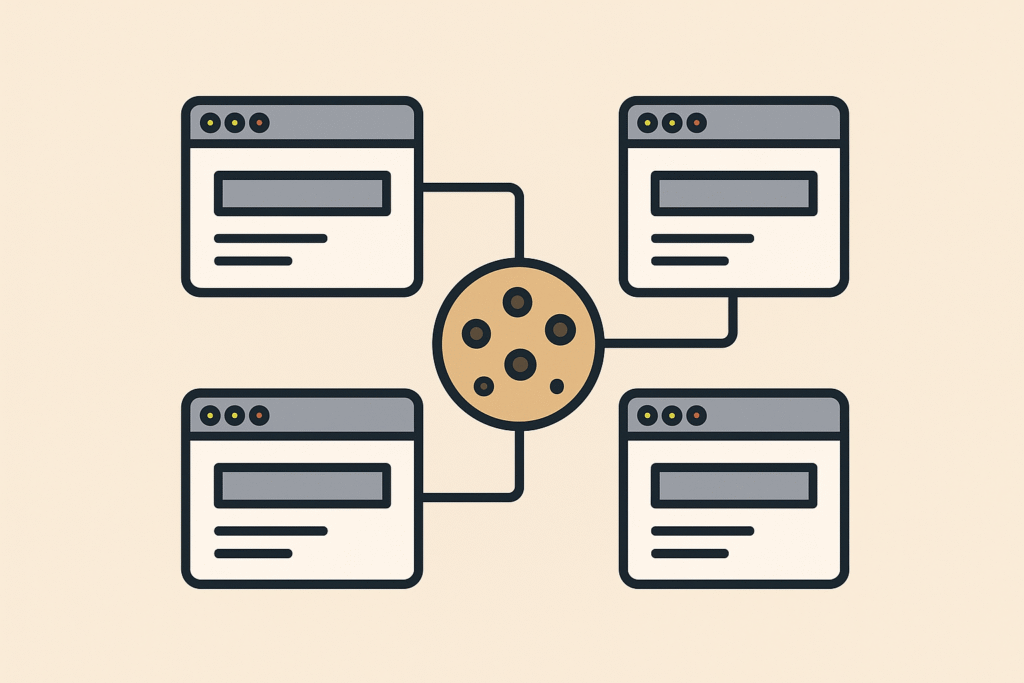
What are cookies? Why do they exist? Why on earth would I ever NOT want to accept delicious cookies? What is statelessness? All that and more in this treatise on cookies and privacy.
Requests
The original humble website (info.cern.ch) looked very different from the sites that currently power banking, commerce and even interactions with government. Fundamentally a web server is a program that lets you create, request, update, or delete resources. It tells you some information about the content, what type it is, how big it is, when it was last modified, if you are supposed to cache it or not, among other things. These metadata are returned as headers, i.e. bits of content before the main content, so to speak.
To over-simplify the process, the client, e.g. the browser, simply breaks down the address in the address bar into the scheme – usually http or https, the host name – info.cern.ch, and the path – /. If the scheme is http and not port number was explicitly given, the browser will contact info.cern.ch on port 80, and then send the command GET /. The browser will send information in headers, such as User-Agent, i.e. it tells the web server which browser it is, and it can tell you referrer as well, i.e. which website linked to this one. These headers are sent by the browser, but they are not mandatory, and any low level http client can set their own referrer and user-agent headers, so it is important to realise that these headers are not guaranteed to be correct. The server too will offer up information in headers. Sometimes the server will – as headers in addition to the content it serves you – announce what type of web server it is (software and platform) which is something you should ideally disable, because that information is only helpful for targeting malware, with no real valid use case.
Why this technical mumbo jumbo? Well, the thing you didn’t see in the above avalanche of tech stuff was the browser authenticating the user to the server in any way. The browser rocked up, asked for something and received it, at no point was a session created, or credentials exchanged. Now, info.cern.ch is a very simple page, but it does have a favicon, i.e. the little picture that adorns the top left of the browser tab, so when the page is requested, it actually makes two calls to the Swiss web server. One for the HTML content, and one for the picture. Now with modern HTTP protocol versions this is changing somewhat, but let’s ignore that for now, the point is – the server does not keep session state, it does not know if you are the same browser refreshing the page, or if you are someone completely new that requests the page and the favicon.
There was no mechanism to “log in”, to start a session, there was no way to know if it was the same user coming back that you already knew because no such facility existed within the protocol. From fairly early on you could have the server return status code 401 to say “you need to log in”, and there was a provision for the browser to then supply some credentials using a header called Authorize, but you had to supply that header for every request or else it wouldn’t work. This is how APIs work still, each request is a new world, you authenticate with every call.
The solution, the way to log into a website, to exchange credentials once and then create a session that knows who you are whilst you are on a website, was using cookies.
Taking the biscuit
What is a cookie? Well, it is a small file. It is stored by the browser somewhere in the user’s local files.
The server returns a header called Set-Cookie where the server tells the browser to remember some data, basically name & value and possibly a domain.
Once that has happened. there is a gentleman’s agreement that that browser will always send along those cookies when a subsequent call is made to that same server, and the normal flow is that the server will set a cookie like “cool-session-id= a234f32d” and the server will then upon subsequent requests read the cookie cool-session-id and know which session this request belongs to “a234f32d, ah long time no see – carry on”. Some cookies live for a very long time “don’t ask again”, and some, the session ones, live for 5 minutes or similar. When the cookies expire, the browser will no longer send them along with requests to the server, and you willl have to log in again, or similar.
How the cookie crumbles
What could possibly go wrong, these cookies seem perfect with no downsides whatsoever? Yes, and no. A HTML page, a hypertext document, contains text, images, and links. Usually you build up a web page using text content and images that you host on your own machine, so the browser keeps talking to the same server to get all the necessary content, but sometimes you use content from somewhere else, like under-construction.gif that was popular back in my day. That means that the server where under-construction.gif is hosted can set cookies as well, because the call to its server to download that picture is the same type of thing that the call to my server where the HTML lives, those calls work the same way. If the person hosting under-construction.gif wanted to, they could use those cookies to figure out which pages each person visits. If it was 1995. then under-construction.gif could be referenced from 1000 websites, and by setting cookies, the host of under-construction.gif could start keeping a list of the times when the same cookie showed up on requests for under-construction.gif from different websites. The combination of Referrer header and the cookie set in each browser would allow interesting statistics to be kept.
Let’s say this isn’t under-construction.gif, but rather a Paypal Donate button, a Ko-Fi button, a Facebook button or a Google script manager, and you start seeing the problem. These third party cookies are sometimes called tracking cookies, because, well – that’s what they do.
Why the sweet tooth?
Why do people allow content on their website that they know will track their users? Well, for the plebs, like this blog here, I suspect the main thing is the site creator cannot be bothered to clear house. You use some pre-built tool, like WordPress, and accept that it will drop cookies like a medieval fairytale, you can’t be arsed to wade in PHP on your spare time to stop the site from doing so. Then there’s the naive greed, like if I add a Paypal Donate button, or an Amazon affiliate link, I could make enough money to buy several 4 packs of coke zero, infinite money glitch !!1one.
For companies and commercial websites, I am fairly convinced that Google Analytics is the biggest culprit. Even if you have zero interest in monetising the website itself, and you never intend to place ads at any time, Google Analytics is a popular tool to track how users use your application. You can tag up buttons with identifiers and see what features either are not discovered or are too complex, i.e. users abandon multi-step processes half way through. From a product design perspective these seem like useful signals, but form a pure engineering perspective it allows you to build realistic monitoring and performance tests because you have reasonably accurate evidence of how real world users use your website. The noble goal of making the world a better place aside, the fact is that you are still using that third party cookie from Google, and they use it for whatever purposes they have, the only thing is you get to use some of that data too.
Achieving the same level of insight about how your users use your app by using an analytics tool you built in-house would take a herculean effort, and for most companies, that cost would not be defensible. You see a similar problem happen after Sales develops a load-bearing excel template, and you realise that building a line-of-business web app to replace that template would be astronomically expensive and still miss out on some features Excel has built-in.
Consent is fundamental
As you can tell the technical difference between a marketing cookie and a cookie used for improving the app or monitoring quality is nonexistent. It is all about intent. The General Data Protection Regulation was an attempt at safeguarding people’s data by requiring companies to be upfront about the intent and scope of the information it keeps, and to keep them accountable in case they suffer data breaches. One of the most visible aspects of the regulation is the cookie consent popup that quckly became ubiquitous over the whole of the internet.
Now, this quickly became an industry of its own where companies buy third party javascript apps that allow you to switch off optional cookies and present comprehensive descriptions about what the purpose is around each cookie. I personally think it is a bit of a racket preying on the internal fear of the Compliance department in large corporations, but still – these apps do provide a service. The only problem is that you as a site maintainer gets to define if a cookie is mandatory or not. You can designate a tracking cookie as required, and it will basically be up to the courts to decide if you are in violation. Some sites like spammy news aggregators do this upfront, they designate their tracking cookies as mandatory.
Conclusion
So, are cookies always harmful, or can you indulge in the odd one now and then without feeling bad? The simple answer is, it depends. Every time you approve of a third party cookie, know that you are traced across websites. You may not mind, because it’s your favourite oligopoly Apple, or you might mind because it’s ads.doubleclick.net – it is up to you. And if you are building a website with a limited budget that does not include also building a bespoke analytics platform, you may hold your nose and add google analytics, knowing full well that a lot of people will block that cookie anyway, reducing your feedback in potentially statistically significant ways. Fundamentally it is about choice. At least this way you can stay informed.